
Waze Suggestion Box
- There’s power in numbers! Search through existing suggestions to see if there's someone else with a similar idea and upvote it.
- You can build upon an idea -- simply comment below your fellow Wazer's submission.
- This forum is intended for user feedback and ideas. If you have an issue which needs support, please visit our help center.
- Any comments, feedback, ideas, reports, suggestions, or other information you provide to Waze (part of Google LLC) about Waze products and services (collectively “Feedback”) is not part of your personal data.
- You agree not to disclose, in your Feedback, to Waze any information, such as third-party information, that you are obligated to maintain as confidential.
- Waze has no obligation to use your Feedback.
- By submitting your Feedback in this page, you acknowledge that you are of the minimum age required to provide data processing consent in the applicable country where you are located and that you provide permission to Waze, and its affiliates, to use your Feedback and any information that personally identifies you to improve Waze’s current and future products and services in accordance with Waze's Privacy Policy (waze.com/legal/privacy).
- Please avoid providing any personal information in your Feedback.
- Providing a name, when submitting Feedback, is optional. If you choose to provide your name, it will be publicly displayed in this forum next to your Feedback. You can delete your name and provide your Feedback as an anonymous user at any time.
- or
No existing idea results
- ~ No ideas found ~
19511 results found
-
Announcement speed adjustable
Increase or decrease the announcement speed of the speaker
1 vote -
screen Layout
So as many before we love the product.
It would be nice if the map was smaller and the directions a tad bigger. It would outstanding if it spoke the exit number or name.
As an older (62) person, seeing the screen on my phone ( Samsung Ultra 24) i cant always see the exit number.1 vote -
1 vote
-
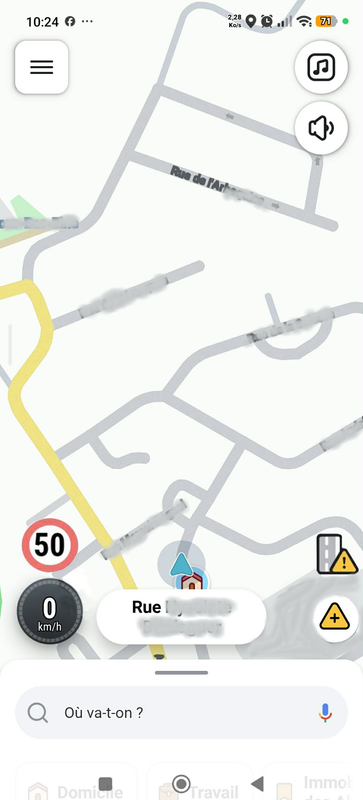
Speed Limit display and Alert Icon quick Selection
Here is an edited screenshot of my two ideas, on the left you have bigger, more visible speed limit indicator, on the right you get a permanently displayed favorite alert icon.(in my case stopped vehicles which is 90% of my sent alerts)
1 vote -
Please could you add the Rotherhithe tunnel in London as something to avoid
Please could you add the Rotherhithe tunnel in London as something to avoid on a route as there is a weight restriction and many vehicles exceed the weight limit
1 vote -
1 vote
-
Já há alguns meses que tenho me incomodado com a interface do Waze e queria compartilhar uma sugestão: quando traçamos o destino é durante o
Já há alguns meses que tenho me incomodado com a interface do Waze e queria compartilhar uma sugestão: quando traçamos o destino durante o Trajeto, as informações de chegada , distância e tempo restante ficam do lado esquerdo próximo ao volante e , quando precisamos comunicar um alerta, pesquisar e etc, tudo fica do lado DIREITO da tela e longe da direção. Poderiam inverter a interface para que as sinalizações de alerta e pesquisas estejam do lado direito da tela mais próximo ao volante. Assim, o processo de notificar dia mais perto, seguro e o que precisamos apenas ler, ficaria do lado direito mais distante. Falo do Brasil onde a direção fica do lado esquerdo do veículo. Se sentirem tocado e que a sugestão valeu a pena , poderiam me ajudar a realizar um sonho de ter a Nova Ranger Black ou limited que dificilmente conseguiria comprar com recursos próprios. A sugestão torna as notificações de Waze ainda mais seguras e rápidas por estar mais próximo da direção.
Já há alguns meses que tenho me incomodado com a interface do Waze e queria compartilhar uma sugestão: quando traçamos o destino durante o Trajeto, as informações de chegada , distância e tempo restante ficam do lado esquerdo próximo ao volante e , quando precisamos comunicar um alerta, pesquisar e etc, tudo fica do lado DIREITO da tela e longe da direção. Poderiam inverter a interface para que as sinalizações de alerta e pesquisas estejam do lado direito da tela mais próximo ao volante. Assim, o processo de notificar dia mais perto, seguro e o que precisamos apenas ler, ficaria…
1 vote -
Turn off speed bumps
Make the speed bump notifications that way that people can turn it off, and to be able to turn off from the map also. It is very irritating when you are driving around the city and the speed bump warning pops up every 5 meters. It’s disgusting and annoying. 1. The alert covers up half the screen, and 2. the small yellow icons on the map are annoying as well because you cannot see the street names because of them.
Please just make an option where you can fully turn off speed bump warnings if you dont give a f*ck about them.
Thank you.
Please please please.Make the speed bump notifications that way that people can turn it off, and to be able to turn off from the map also. It is very irritating when you are driving around the city and the speed bump warning pops up every 5 meters. It’s disgusting and annoying. 1. The alert covers up half the screen, and 2. the small yellow icons on the map are annoying as well because you cannot see the street names because of them.
Please just make an option where you can fully turn off speed bump warnings if you dont give a f*ck…1 vote -
1 vote
-
short description for all alerts will be easy to undertand the problem in ahead
It's very common in Argentina to see multiple alerts at the same location. We tend to have these kinds of issues, and Waze clearly always shows you the most important one, ignoring the other warnings. It would be great if the other alerts had a brief description, no more than two or three words, so you could know in advance what kind of problem there is, especially when it doesn't show the corresponding alert because another, higher-priority alert is active. I've driven over 70,000 km in a year, and you can't imagine how many times I could have avoided traffic jams longer than 2 km if Waze provided a brief description.
When there's a camera and a stopped vehicle, only the stopped vehicle icon appears, and the radar alert takes precedence. But it would be helpful to know which lane is being blocked by the stopped vehicle or its size; it's not the same as having a car versus a heavy truck.
Today I was driving on the highway, and in my country lately it's common to find unannounced roadworks since they're only done at night and for a couple of hours. You find yourself with a blocked lane right next to a speed camera. Waze shows a blocked lane icon, but you can't tell if it's the left lane, the right lane, or if both lanes are blocked, because there's no description. You don't realize it until you're right in the middle of the problem.
It's very common in Argentina to see multiple alerts at the same location. We tend to have these kinds of issues, and Waze clearly always shows you the most important one, ignoring the other warnings. It would be great if the other alerts had a brief description, no more than two or three words, so you could know in advance what kind of problem there is, especially when it doesn't show the corresponding alert because another, higher-priority alert is active. I've driven over 70,000 km in a year, and you can't imagine how many times I could have avoided traffic…
1 vote -
speed display on map
My device is an apple iphone 17 useing carplay in a 2018 VOLVO XC60, something changed in the last month and now the waze menu is on the right hand side and covers the speed from GPS.
The Menu used to br on the left side with the settings on the lower rif
ght side and speed was always available. Hope you can rectify because the speed reading is very important to me
Brian.1 vote -
ADHD-friendly ETA for the chronically late!
I'd really love if I could customise my drives not based on my past driving but to build in a buffer time (like add 5-10% to expected journey time, for example).
Part of the reason I like Waze so much is probably related to the fact I have ADHD and the instructions and clearly stated ahead of time ("...in 800m, turn right") and then repeated ("...in 200m, turn right").
Possibly because of that ADHD, I really struggle with being on time and poorly estimate how long things will take me. I try to build in a mental buffer, but because I know I've done that, it often doesn't work. This also means any past data on my driving is likely based on a journey where I was running late!
A navigation app where I could toggle on a buffer would be best, especially as a percentage which is not so intuitive that I'd unconsciously reverse-engineer it and mentally deduct those extra 7 minutes or whatever it might be the app added on to my predicted driving time.
I expect that seems a highly specific feature request, but it occurred to me that the Waze features that appeal to me might be ADHD-related and therefore, the app might actually have a higher than average number of ADHD users.
I'd really love if I could customise my drives not based on my past driving but to build in a buffer time (like add 5-10% to expected journey time, for example).
Part of the reason I like Waze so much is probably related to the fact I have ADHD and the instructions and clearly stated ahead of time ("...in 800m, turn right") and then repeated ("...in 200m, turn right").
Possibly because of that ADHD, I really struggle with being on time and poorly estimate how long things will take me. I try to build in a mental buffer, but because…
1 vote -
ALPR Avoidance
Widespread ALPR systems have recently drawn a lot of attention, and I believe that more users of turn-by-turn navigation apps including Waze will want to avoid driving past these cameras.
I would like to suggest that Waze implement a feature which allows users to view the location of known ALPR cameras, and also gives users the option to only use routes that avoid ALPR cameras.Thank you for considering this request, and for creating and supporting Waze!
1 vote -
Please make speed camera alert and police alert boxes red again .... they have become a very neutral dark blue / black and don't stand out
Please make speed camera alert and police alert boxes red again .... they have become a very neutral dark blue / black and don't stand out enough
1 vote -
Direcciones predefinidas
Estaría bien tener más direcciones predefinidas con su correspondiente icono, además de "Casa" y "Trabajo" como, por ejemplo, "Centro educativo", "Aparcamiento" o "Gimnasio".
1 vote -
Kurzbefehle Schlafmodus
Einen Kurzbefehle integrieren, damit Waze in den Schlafmodus wechselt, wenn die Verbindung zu CarPlay getrennt wird. Aktuell läuft die App leider im Hintergrund weiter, bis man sie manuell beendet
1 vote -
Waze 3000
The Waze application requires immediate updates to resolve navigation and interface failures. The current design uses cartoonish language. This style reduces the professional utility of your tool. You must adopt a more mature visual language.
Voice search fails to provide effective results. This malfunction creates safety risks for drivers.
The map view locks during Android Auto use. You should allow users to move or adjust the map on the vehicle screen without touchscreen feature.
The interface largelly displays recent routes immediately. This clutter slows down the navigation process and hinders the user's privacy.
Preferred gas stations and fuel grades disappear while driving with Android Auto. These settings must remain accessible during transit.
Waze lacks a current lane feature for highway driving. You must add lane indicators to assist with exits.
The map does not show traffic lights, speed bumps, or stop signs. Drivers need these visual cues for better awareness.
The display lacks landmarks and business indicators. These real life markers help users confirm their location.
Drivers cannot change carpool or Fastrak preferences while the vehicle is in motion. You must enable these adjustments to allow for route changes.
Other personal suggestions: street parking information, remember parking spot, and AI map/navigation.
Fix these issues to improve your navigation service.
The Waze application requires immediate updates to resolve navigation and interface failures. The current design uses cartoonish language. This style reduces the professional utility of your tool. You must adopt a more mature visual language.
Voice search fails to provide effective results. This malfunction creates safety risks for drivers.
The map view locks during Android Auto use. You should allow users to move or adjust the map on the vehicle screen without touchscreen feature.
The interface largelly displays recent routes immediately. This clutter slows down the navigation process and hinders the user's privacy.
Preferred gas stations and fuel grades disappear…
1 vote -
I have a suggestion: it would be great to show stop signs and traffic lights on the route.
If we could go to Map Issue and note when there is a 2-way stop sign; a 4 - way stop sign; or a traffic light, it would improve Waze and help the driver when on a route to know what's coming up.
1 vote -
Average speed zone - keep indicator on screen in car play
If we can’t have the calculation of our average speed at least keep an icon on screen in car play. If we miss the notification we entered an average speed zone we may not realise we are in one.
1 vote -
When searching for gas stations, show unbranded stations with name
Today, when searching for gas stations, unbranded stations are shown as "Other". It will be much more usable to show the stations' names instead of.
1 vote
- Don't see your idea?