
Waze Suggestion Box
- There’s power in numbers! Search through existing suggestions to see if there's someone else with a similar idea and upvote it.
- You can build upon an idea -- simply comment below your fellow Wazer's submission.
- This forum is intended for user feedback and ideas. If you have an issue which needs support, please visit our help center.
- Any comments, feedback, ideas, reports, suggestions, or other information you provide to Waze (part of Google LLC) about Waze products and services (collectively “Feedback”) is not part of your personal data.
- You agree not to disclose, in your Feedback, to Waze any information, such as third-party information, that you are obligated to maintain as confidential.
- Waze has no obligation to use your Feedback.
- By submitting your Feedback in this page, you acknowledge that you are of the minimum age required to provide data processing consent in the applicable country where you are located and that you provide permission to Waze, and its affiliates, to use your Feedback and any information that personally identifies you to improve Waze’s current and future products and services in accordance with Waze's Privacy Policy (waze.com/legal/privacy).
- Please avoid providing any personal information in your Feedback.
- Providing a name, when submitting Feedback, is optional. If you choose to provide your name, it will be publicly displayed in this forum next to your Feedback. You can delete your name and provide your Feedback as an anonymous user at any time.
- or
1574 results found
-
The vehicle speed set to 0 and map display jumps on GPS blinds spots
The Speed Problem:
I noticed that when the car enters a cave my speed per hour gets reset back to 0 and when I leave the cave it goes back.Plus - The Map Display Problem:
When I get inside the cave the map display feature of the car/arrow icon stops working:
(the car/arrow icon would stop moving and then jump back to the end of the cave when I leave).I believe that the map feature and speed is working by gps to locate the vehicle location and time to calculate the speed which makes the car km/h /…
1 vote -
Louder speed limit exceeded sound for moborbike riders
I can't hear the "speed limit exceeded" sound at all on my motorbike, so it is essentially not something I can use.
It would be nice if that was louder for those who have selected they are on a motorbike, to match the volume of the voice (or else, an option to make it louder).
1 vote -
Hello, I suggest adding the option to activate a voice message whenever the speed limit is changed. For example: The speed limit on this sec
Hello,
I suggest adding the option to activate a voice message whenever the speed limit is changed. For example: The speed limit on this section is....
During a long trip I would be happy to receive voice feedback about the speed limit on the road at a certain frequency, instead of constantly searching for the speed in the app while driving.
Thank you for your attention0 votes -
move the speed shortcut to any place on the navigation screen
Good day. Please make it possible to move the speed shortcut to any place on the navigation screen. Car play
1 vote -
Turn on or off warnings in cruise like speed bomps school zones
When there is no route defined and I only cruise with waze on, I don't see any speed bomps or similar warnings
1 vote -
Speed camera & 40 zone at intersection of princes hway and sydney park rd
Intersection of princes hway & Sydney park rd. Speed camera & 40 zone
1 vote -
Maximum Permitted Speed or MPS
An important factor during a car trip is the "Maximum Permitted Speed or MPS".
During a car trip, the MPS changes constantly:
1) from 70 to 50, then to 90, suddenly to 30, then again to 70, 30, 70, 100, 90, 120, etc.
2) The MPS aren't always the same type of traffic signs.
I've noticed that I sometimes miss a traffic sign, and WAZE alerts me, for example, with an audible signal (thanks for that!).
My gaze automatically shifts to my smartphone, which actually distracts me from what's happening or could happen on the road!
That's why I'd like…1 vote -
Not sure if Waze does curves speed alert, that would be nice especially driving on a unfamiliar road at night or in poor visibility.
Curve Speed Alert
2 votes -
While talking in the car I often miss the prompt. You should have a warning signal prior to the prompt so it isn't missed.
A beep or some sort of signal prior to the prompt would alert you to the upcoming prompt.
3 votes -
Car play ETA details override during upcoming Speed Camera Alerts
Hello Waze Team,
I would like to suggest an improvement to the Apple CarPlay experience when approaching speed cameras.
Currently, when a speed camera alert appears, it temporarily replaces or hides important navigation details such as the estimated time of arrival (ETA), remaining distance, and trip duration. This can make it difficult to stay aware of key trip information while driving.
I recommend maintaining the visibility of ETA, remaining distance, and travel time even during speed camera alerts, or displaying the alert in a way that does not override these essential details.
This improvement would enhance usability and allow drivers…
1 vote -
Predictive Speed Regulation to Prevent Phantom Traffic Jams
Feature: Predictive Speed Regulation to Prevent Phantom Traffic Jams
Problem:
When one vehicle hard-brakes on a highway, it creates a backward-traveling shockwave. Due to human reaction times, vehicles behind brake even harder — causing a dead-stop jam with no actual obstruction. These "phantom jams" cause thousands of rear-end collisions yearly.
Proposed Solution:
Waze already collects real-time GPS telemetry from millions of drivers. If the system detects a sudden velocity drop, it could instantly push a "Reduce speed to 60 km/h" advisory to drivers further back — absorbing the shockwave before it cascades.
I Built a Working Simulation:
I've created an…
2 votes -
Calculate speed of travel adjusted for vehicles turning around
This morning I was caught in a traffic jam in which we traveled 1 mile in 24 minutes. The app was showing travel speed for the area of 8-12 mph at the time because of the number of vehicles exiting the traffic jam to turn around or cutting out of the traffic through side streets. This causes inaccuracy in the eta and may have resulted in routes 'b' or 'c' being faster. Since the GPS is estimated based on location is it not possible to make a change to the system that removes one car length of distance from the …
1 voteThanks for your feedback. At this time, this doesn't fit on our roadmap, but we'll keep it in mind for future product planning.
-
Speed alert for 2 mph over limit
Currently, you can select an alert if you are going above the speed limit (at all) or 5 mph over the limit.
I would like to suggest 2 mph.
5 mph is too much because by then, a cop will almost surely give a ticket without mercy. 5 mph over the limit is usually the informal grace limit.
But an alert for any mph over the limit is too sensitive. Even on cruise control, my car sometimes exceeds the limit by a fraction of a mph when I begin to go downhill. It takes a second for the cruise control…
1 vote -
Speed Limit display and Alert Icon quick Selection
Here is an edited screenshot of my two ideas, on the left you have bigger, more visible speed limit indicator, on the right you get a permanently displayed favorite alert icon.(in my case stopped vehicles which is 90% of my sent alerts)
1 vote -
Hi Waze team, Could you please consider adding these features? 1. Make the displayed speed limit larger and easier to read while driving.
Hi Waze team,
Could you please consider adding these features?
- Make the displayed speed limit larger and easier to read while driving.
- Add an option to set a speed alert threshold below the speed limit, for example 5 km/h under the limit.
- Add an early voice warning when approaching school zones or reduced-speed areas.
- Allow users to customise the speed-limit display size and alert sensitivity.
These features would help drivers stay below the limit, especially in school zones and high-risk areas where early warnings are important.
Thank you.
2 votes -
Trip report
A report after each trip, useful to plan the return or the next travel, or even to control the driver by family or company. Containing max speed, medium speed, total distance, stops, stopped time, graphs with time/speeds, disrespect of speed limits when available... Showed at Waze and by e-mail.
72 votes -
when wazers are regularly exceeding the speed limit on non-highways, waze should stop sending people on that route.
If Wazers are exceeding residential speed limits, it creates a hazard for everyone in that area. Waze should collect data about the amount of drivers who are exceeding speed limits and then restrict usage of those roads because it is a public safety issue.
Drivers may be going through areas where there are children, joggers, bicyclists, and others who are now at risk because people are exceeding the speed limit while looking down at their phones to get the next GPS instruction.
2 votes -
chose vehicle with it's own speed limit
chose vehicle type > truck (90km/h)
> bus (100km/h)
>secial (80km/h)9 votes -
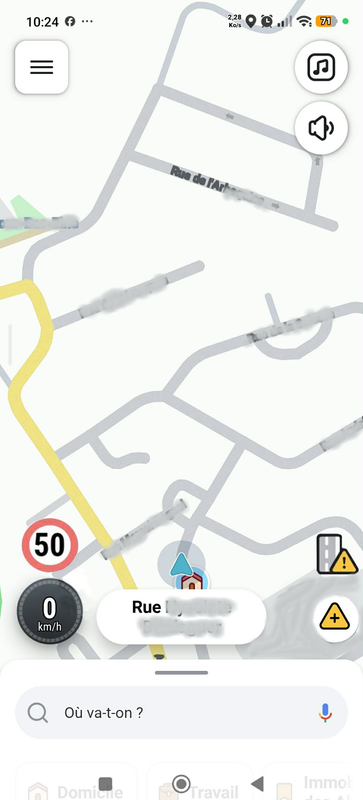
Movable speedometer
Hold your finger on the speed gauge to move the speed gauge to a suitable location on your screen.
This would be very useful especially on a tablet or phones with big screens.400 votesHey,
Please note we're changing the status of this suggestion to Not right now, since we finalized our plans for 2024 and this idea won't be implemented this year.
We hope to include it in our plans for later down the line.
Thanks!
-
3 votes


- Don't see your idea?